Backing up is important, and you should do it regularly. Follow this tutorial to make a full backup of your website with cPanel.
1. Log in to your cPanel account.
2. In the Files section, click on Backup.

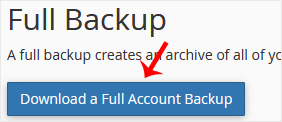
3. Under Full Backup, click on Download a Full Website backup.
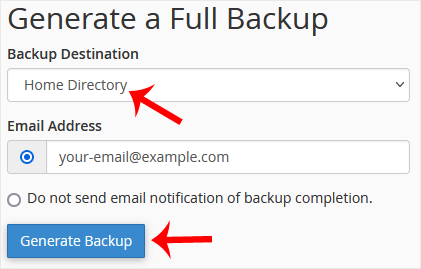
4. From the drop-down menu, select the backup destination as Home and enter your email address in the email field to receive a notification when the backup is complete.
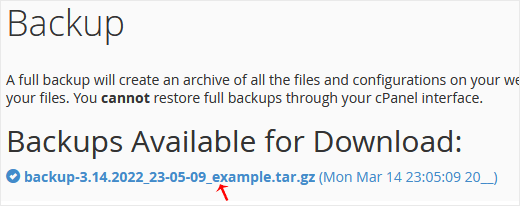
After the cPanel backup is finished, you will receive a notification. You can download backups from Backup > Download a Full Account Backup.